CLI Reference
Krayne provides a command-line interface built with Typer and Rich for managing Ray clusters on Kubernetes.
Global options
These options are defined on the top-level krayne callback and must be passed before the subcommand (e.g. krayne -o json get, not krayne get -o json):
| Option | Description |
|---|---|
--version, -V |
Show version and exit |
--debug |
Show full tracebacks on error |
--output, -o |
Output format: table (default) or json |
--kubeconfig |
Path to kubeconfig file |
krayne init
Initialize Krayne with kubeconfig and Kubernetes context. Saves settings to ~/.krayne/config.yaml.
Options:
| Option | Default | Description |
|---|---|---|
-k, --kubeconfig |
— | Path to kubeconfig file (skips interactive prompt) |
-c, --context |
— | Kubernetes context name (skips interactive prompt) |
Examples:
# Interactive mode — select kubeconfig and context from menus
krayne init

# Non-interactive mode
krayne init --kubeconfig ~/.kube/config --context my-context
╭─ Krayne Initialized ─────────────────────────╮
│  Kubeconfig:   ~/.kube/config               │
│  Context:      my-context                   │
╰─────────────────────────────────────────────╯
Note
In interactive mode, Krayne presents a menu to select the kubeconfig source (default location, sandbox, or custom path), then lists available contexts.
krayne create
Create a new Ray cluster.
Arguments:
| Argument | Description |
|---|---|
name |
Cluster name (required) |
Options:
| Option | Default | Description |
|---|---|---|
-n, --namespace |
default |
Kubernetes namespace |
--gpus-per-worker |
0 |
Number of GPUs per worker node |
--cpus-in-head |
1 |
CPU count for the head node (clamped up to 1 minimum in the manifest) |
--memory-in-head |
4Gi |
Memory for the head node (clamped up to 4Gi minimum in the manifest) |
--workers |
0 |
Desired worker replicas (initial count) |
--min-workers |
0 |
Minimum worker replicas for autoscaling |
--max-workers |
1 |
Maximum worker replicas for autoscaling |
--no-autoscaling |
false |
Disable autoscaling (pin replicas) |
--timeout |
300 |
Timeout in seconds |
--file, -f |
— | Path to a YAML config file |
Examples:
# Minimal — all defaults (autoscaling 0-1 workers)
krayne create my-cluster

# GPU cluster with 2 workers, autoscaling 0-4
krayne create gpu-cluster --gpus-per-worker 1 --workers 2 --max-workers 4

# Fixed replicas (no autoscaling)
krayne create my-cluster --no-autoscaling --workers 4

# From YAML config
krayne create my-cluster --file cluster.yaml

# JSON output (note: -o/--output is a global option — it must come before the subcommand)
krayne -o json create my-cluster
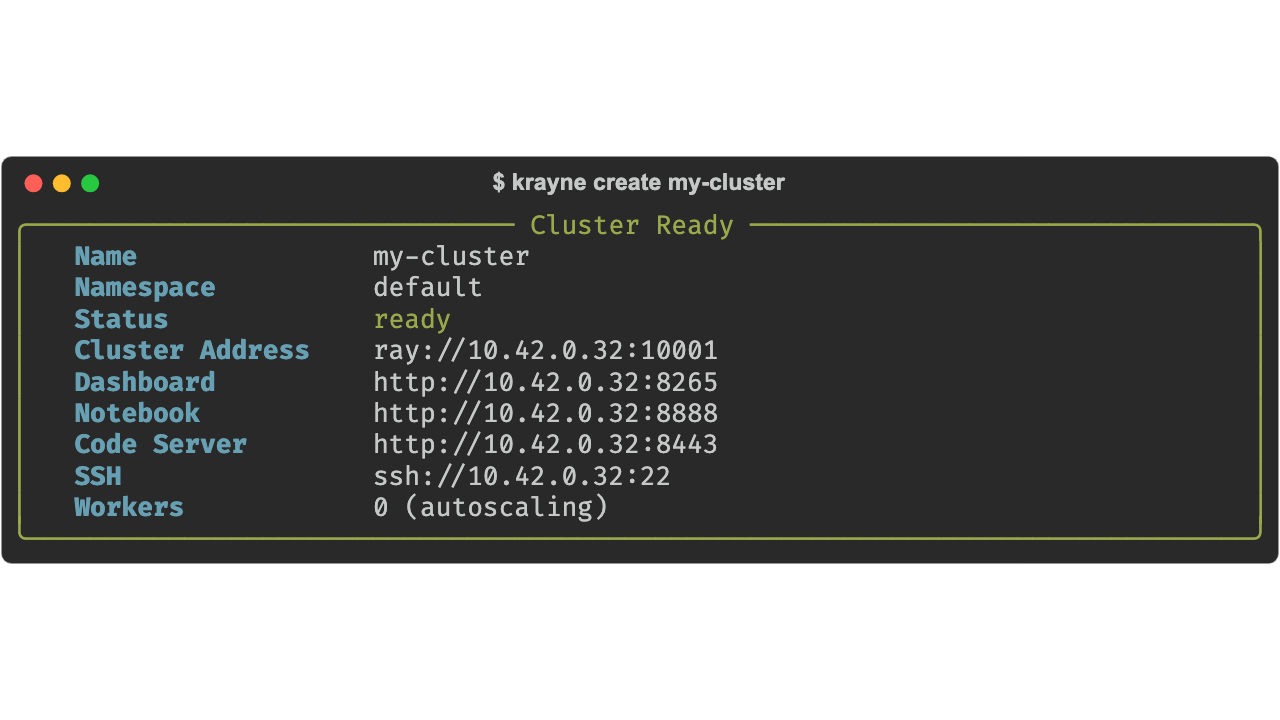
Local access
Use krayne tun-open <cluster-name> to create localhost mirrors of all cluster services via kubectl port-forward. Use krayne tun-close <cluster-name> to stop.
Note
When using --file, the name argument and any CLI flags override the corresponding values in the YAML file.
krayne get
List all Ray clusters in a namespace.
Options:
| Option | Default | Description |
|---|---|---|
-n, --namespace |
default |
Kubernetes namespace |
Examples:
# List clusters in default namespace
krayne get

# List clusters in a specific namespace
krayne get -n ml-team

# JSON output for scripting (global option goes before the subcommand)
krayne -o json get
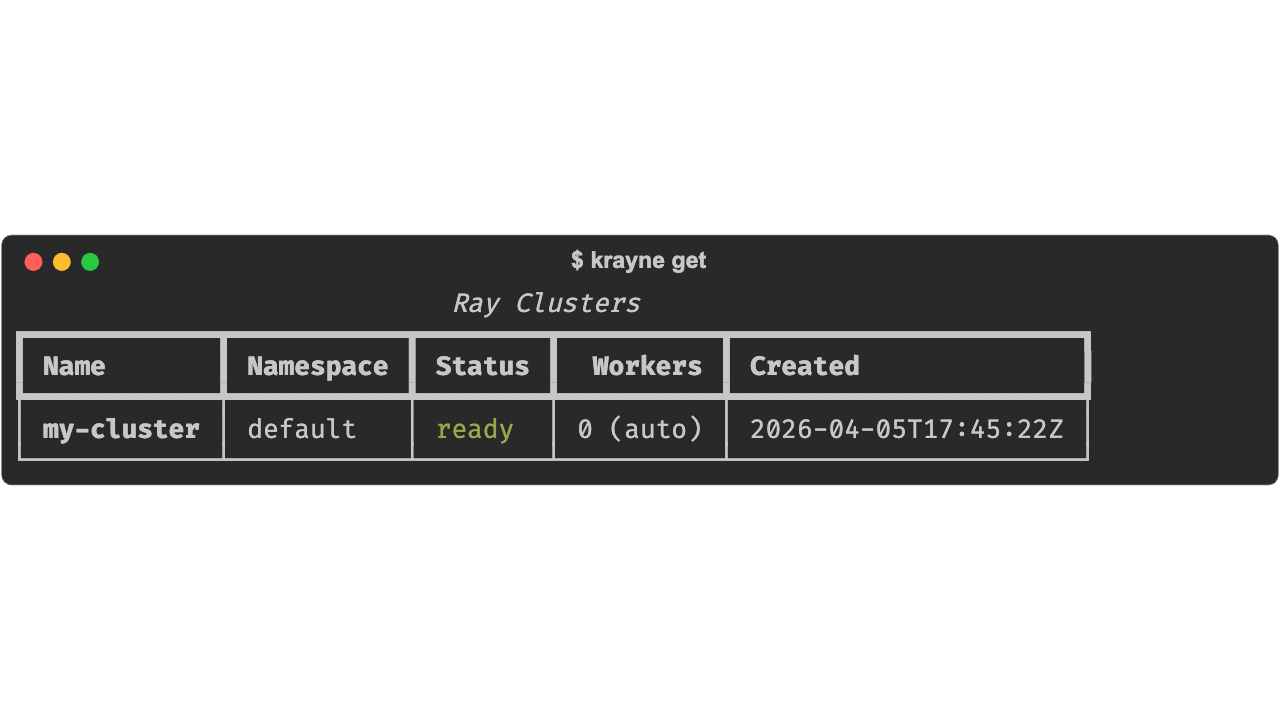
krayne describe
Show detailed information about a cluster, including head node and worker group resource allocations.
Arguments:
| Argument | Description |
|---|---|
name |
Cluster name (required) |
Options:
| Option | Default | Description |
|---|---|---|
-n, --namespace |
default |
Kubernetes namespace |
Examples:
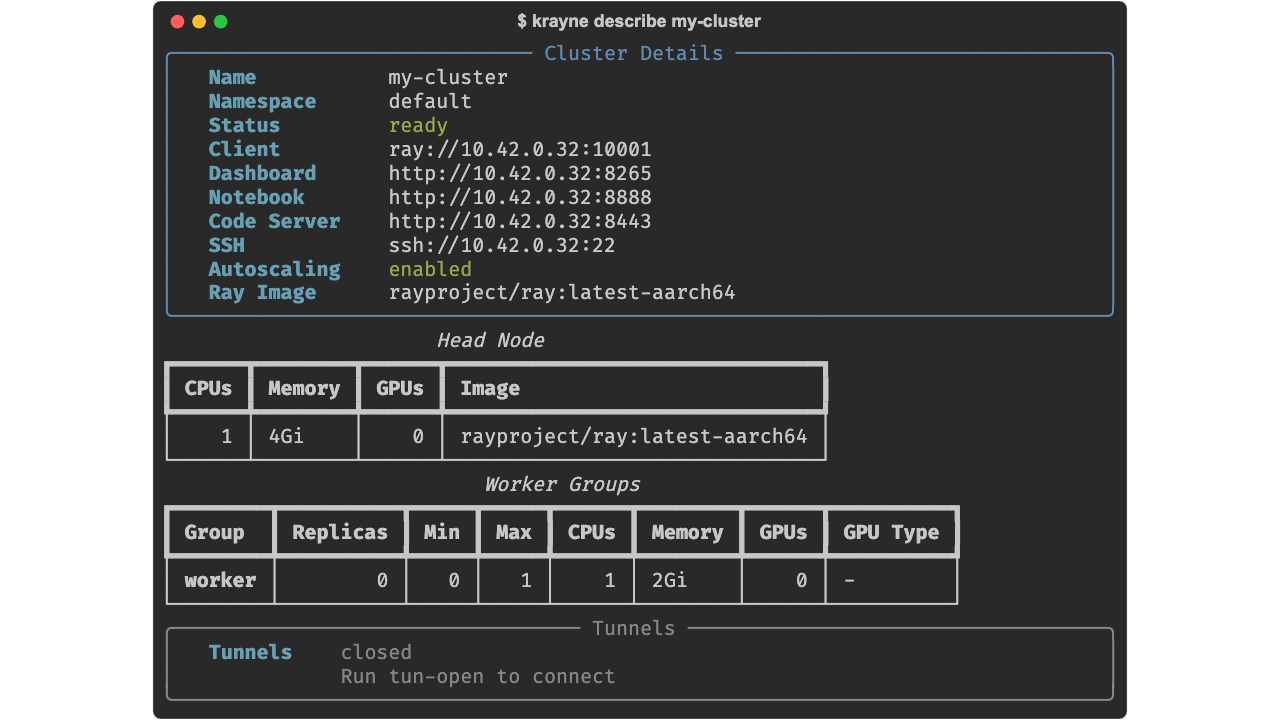
krayne scale
Scale a worker group of a cluster to a target replica count.
Arguments:
| Argument | Description |
|---|---|
name |
Cluster name (required) |
Options:
| Option | Default | Description |
|---|---|---|
-n, --namespace |
default |
Kubernetes namespace |
-g, --worker-group |
worker |
Name of the worker group to scale |
-r, --replicas |
— | Target desired replica count |
--min-replicas |
— | Minimum replicas for autoscaling |
--max-replicas |
— | Maximum replicas for autoscaling |
At least one of --replicas, --min-replicas, or --max-replicas is required.
Examples:
# Scale default worker group to 4 desired replicas
krayne scale my-cluster --replicas 4

# Adjust autoscaling bounds
krayne scale my-cluster --min-replicas 1 --max-replicas 10

# Scale a named worker group
krayne scale my-cluster --worker-group gpu-workers --replicas 8 -n ml-team
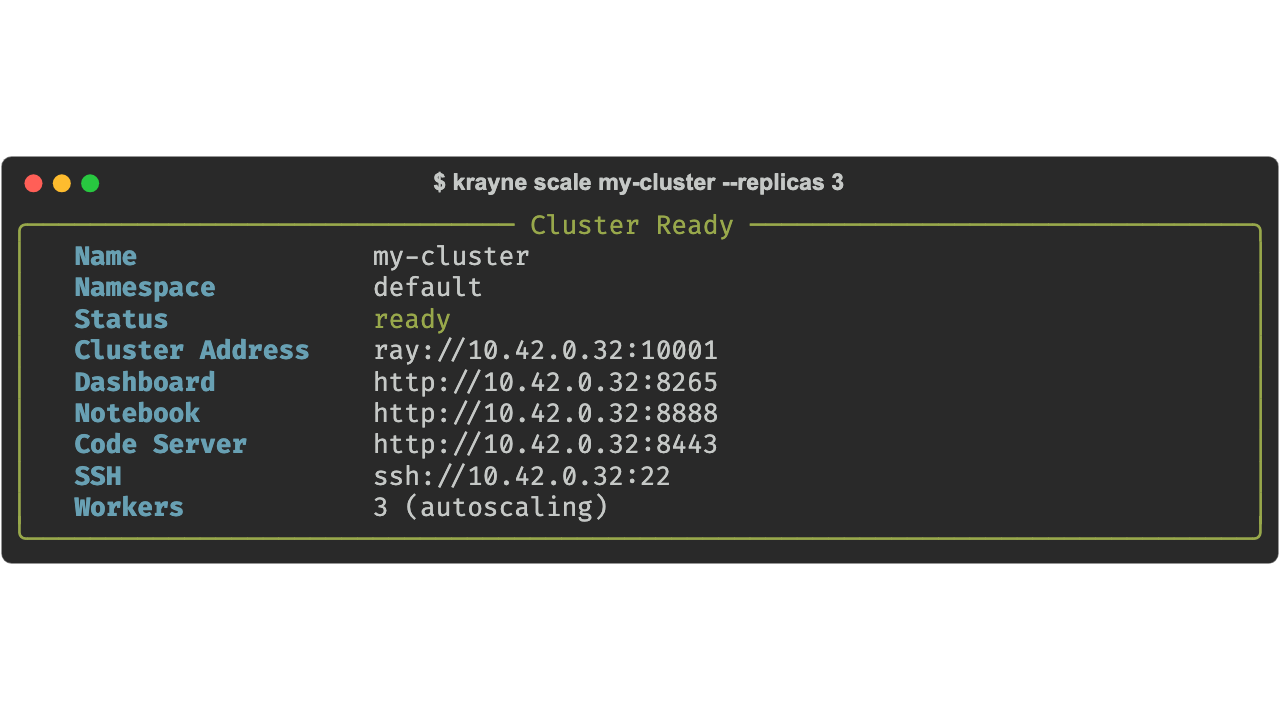
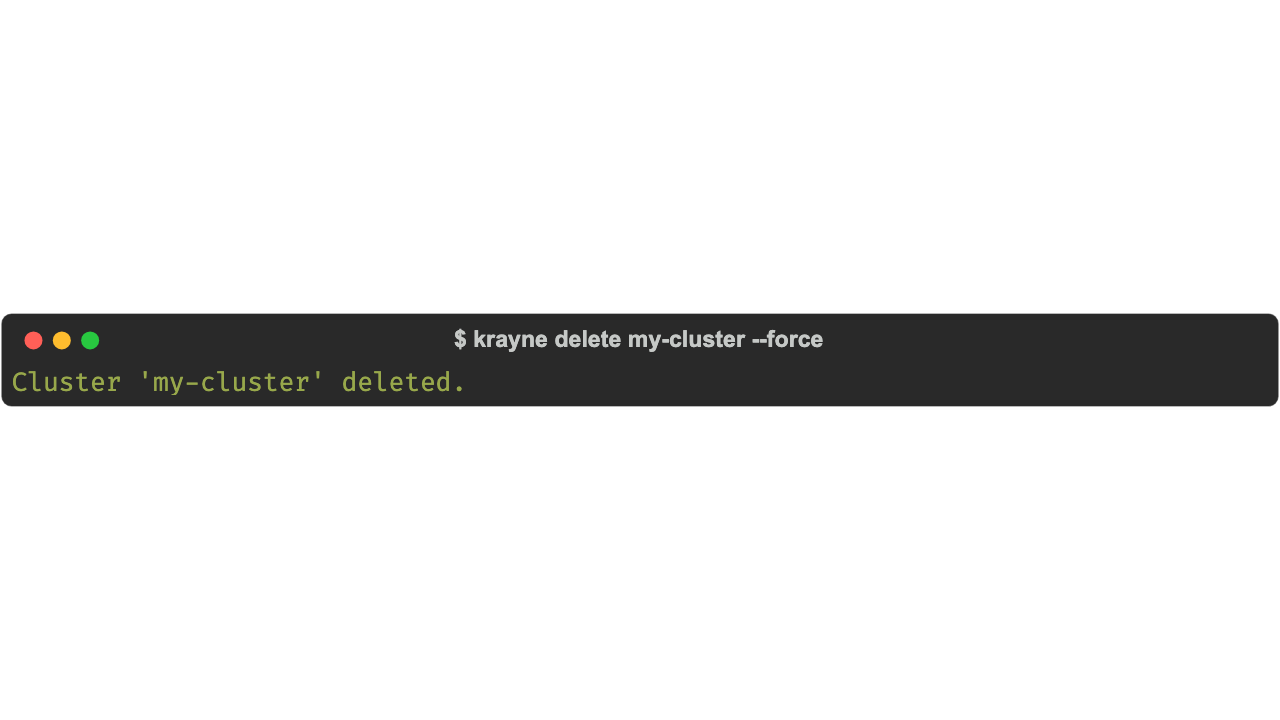
krayne delete
Delete a Ray cluster.
Arguments:
| Argument | Description |
|---|---|
name |
Cluster name (required) |
Options:
| Option | Default | Description |
|---|---|---|
-n, --namespace |
default |
Kubernetes namespace |
--force |
false |
Skip confirmation prompt |
Examples:
# Interactive confirmation
krayne delete my-cluster

# Skip confirmation
krayne delete my-cluster --force

# Delete from specific namespace
krayne delete my-cluster -n ml-team --force
krayne tun-open
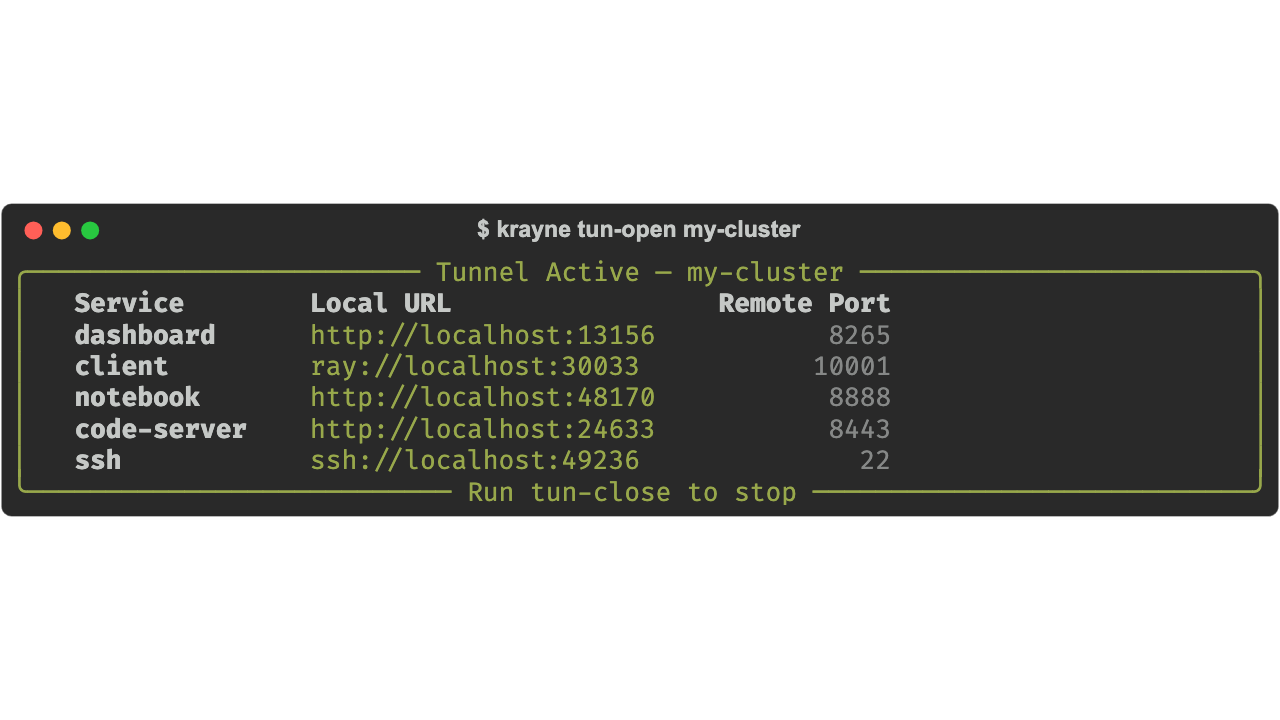
Start tunnels for cluster services to localhost via kubectl port-forward. Processes run in the background — use tun-close to stop them.
Both commands are idempotent: starting an already-active tunnel is a no-op (shows the existing tunnel info), and closing a non-existent tunnel is a no-op.
Arguments:
| Argument | Description |
|---|---|
name |
Cluster name (required) |
Options:
| Option | Default | Description |
|---|---|---|
-n, --namespace |
default |
Kubernetes namespace |
Local ports are deterministically assigned from the cluster name and namespace, so the same cluster always gets the same local ports.
Examples:
# Start tunnels for all services on a cluster
krayne tun-open my-cluster

# Start tunnels in a specific namespace
krayne tun-open my-cluster -n ml-team

# Get tunnel info as JSON (global option goes before the subcommand)
krayne -o json tun-open my-cluster
Note
The cluster must be in ready or running state. Tunnels forward to the head Service (svc/<name>-head-svc), which survives pod restarts.
krayne tun-close
Stop tunnels for a cluster. Terminates all background kubectl port-forward processes.
Arguments:
| Argument | Description |
|---|---|
name |
Cluster name (required) |
Options:
| Option | Default | Description |
|---|---|---|
-n, --namespace |
default |
Kubernetes namespace |
Examples:
krayne submit
Submit a Ray job to a remote cluster. Opens a port-forward tunnel to the cluster's dashboard if one isn't already active (reusing it otherwise), then wraps ray job submit to upload the working directory and execute the user-supplied entrypoint on the head pod.
The CLI mirrors ray job submit argv: everything after -- is the entrypoint command, so the caller chooses how the driver is invoked (plain python, uv run, bash, etc.). This means deps that aren't in the cluster image can be brought in via uv run's PEP 723 / pyproject.toml handling, without krayne picking a runner for you.
Because the driver runs on the cluster, this path is not subject to Ray Client's strict Python and Ray version-match requirement — your local Python can differ from the cluster image.
Options:
| Option | Default | Description |
|---|---|---|
-c, --cluster |
— | Target cluster name (required) |
-n, --namespace |
default |
Kubernetes namespace |
--working-dir |
Current directory | Directory uploaded to the cluster |
--no-wait |
false |
Return immediately after submission; don't tail job logs |
Everything after -- is forwarded verbatim as the entrypoint passed to ray job submit -- ….
Examples:
# Plain interpreter on the cluster's stock image
krayne submit --cluster my-cluster -- python demo.py

# Specific namespace
krayne submit --cluster my-cluster -n ml-team -- python demo.py

# Install deps from a project's pyproject.toml / uv.lock on the cluster
# (requires `uv` on the head pod — preinstalled in rayproject/ray ≥ 2.45)
krayne submit --cluster my-cluster -- uv run --extra demo demo_serve.py

# Forward args to your script
krayne submit --cluster my-cluster -- python train.py --epochs 10 --batch-size 32

# Don't block on the job — print job_id and exit
krayne submit --cluster my-cluster --no-wait -- python train.py

# Override the working directory (e.g. when your script imports a sibling package)
krayne submit --cluster my-cluster --working-dir src -- python jobs/train.py
Why prefer krayne submit over ray.init('ray://…')?
Ray Client (ray://) requires your local Python major.minor.patch and ray package version to exactly match the cluster image, or the handshake is rejected. krayne submit runs the driver inside the cluster, so the local Python version is irrelevant.
krayne sandbox setup
Set up a local k3s cluster with KubeRay for development.
Requires Docker with at least 2 CPUs and 4 GB RAM. Creates a k3s container named krayne-sandbox (limited to 2 CPUs and 6 GB) and installs the KubeRay operator.
          Sandbox Setup
  Component             Status
  Docker                ✓ ready
  K3S Container         ✓ ready
  K3S Node              ✓ ready
  Kubeconfig            ✓ ready
  KubeRay Helm Chart    ✓ ready
  RayCluster CRD        ✓ ready
  Operator Ready        ✓ ready
╭─ Sandbox Ready ─────────────────────────────────╮
│  Status        running                          │
│  Kubeconfig    ~/.krayne/sandbox-kubeconfig       │
╰─────────────────────────────────────────────────╯
╭─ Next Steps ────────────────────────────────────╮
│  1.  krayne init — select the sandbox            │
│      kubeconfig and context                     │
│  2.  krayne create my-cluster — launch your      │
│      first Ray cluster                          │
╰─────────────────────────────────────────────────╯
After setup, run krayne init to select the sandbox kubeconfig and context.
krayne sandbox teardown
Tear down the local sandbox cluster.
Removes the Docker container, deletes the sandbox kubeconfig, and clears Krayne settings if they point to the sandbox.
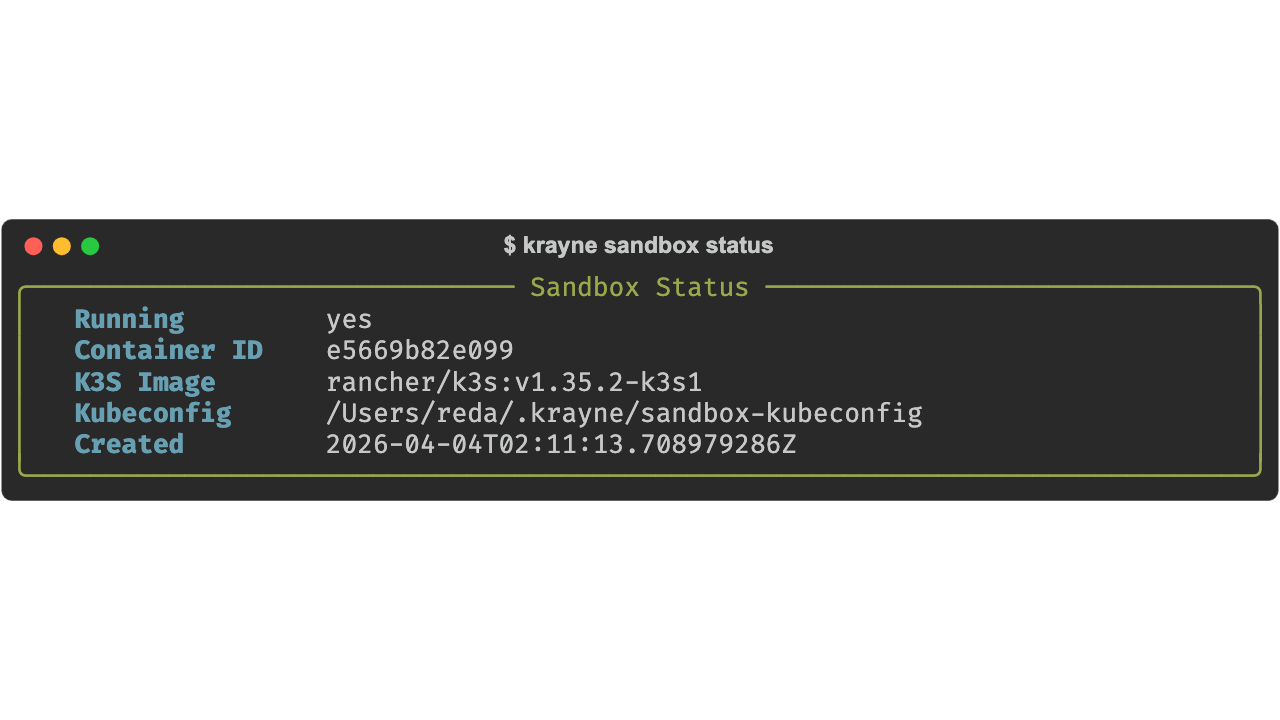
krayne sandbox status
Show current status of the sandbox.
krayne tui
Launch the interactive terminal UI (see the Interactive TUI guide for keybindings and screens).
Output formats
Table (default)
Rich-formatted tables and panels for human-readable output:
JSON
Machine-readable JSON output, useful for scripting (-o/--output is a global option, so it must come before the subcommand):
Error handling
Errors are displayed as Rich panels by default. Use --debug (a global option, so it must come before the subcommand) to see full Python tracebacks:
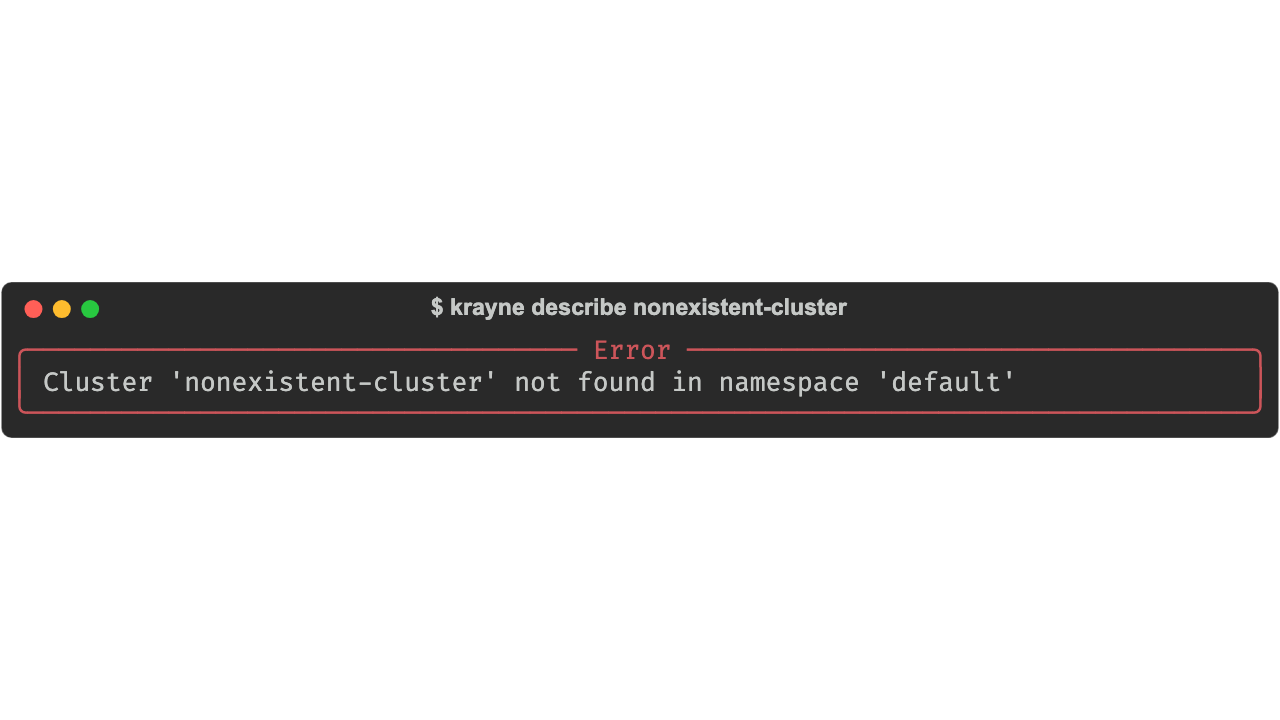
All errors are instances of KrayneError subclasses. See Error Types for the full exception hierarchy.