Krayne
CLI and SDK for creating, managing, and scaling Ray clusters on Kubernetes.
Krayne wraps the KubeRay operator behind a clean, opinionated interface so ML practitioners can get distributed compute without touching Kubernetes manifests.
Get started in seconds
That's it. One command gives you a fully configured Ray cluster with dashboard, notebook, code-server, and SSH access.
Interactive TUI
A fast and intuitive terminal UI is also available:
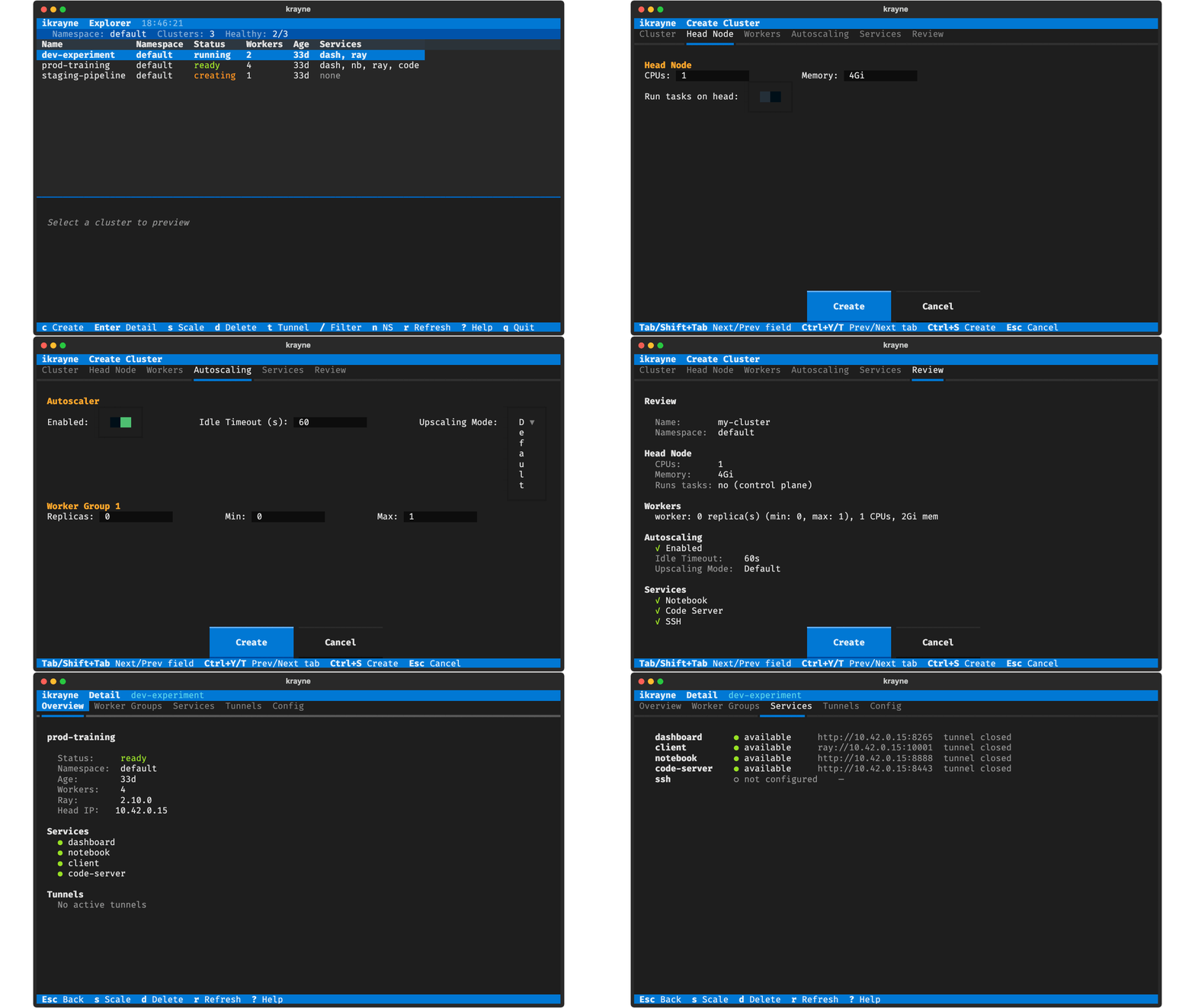
Navigate clusters, create with prefilled forms, scale, delete, and toggle tunnels — all with keyboard shortcuts.
Why Krayne?
| Pain point | How Krayne helps |
|---|---|
| Verbose KubeRay YAML manifests | krayne create my-cluster — zero config needed |
| Kubernetes expertise required | Sensible defaults handle resources, services, and networking |
| No automation path | Python SDK exposes the same operations as functions |
| Scattered tooling | One CLI for create, scale, describe, delete, and tunnels |
CLI and Python SDK
from krayne.api import create_cluster, scale_cluster, delete_cluster
from krayne.config import ClusterConfig, WorkerGroupConfig

config = ClusterConfig(
    name="my-experiment",
    worker_groups=[WorkerGroupConfig(replicas=2, gpus=1)],
)

info = create_cluster(config, wait=True)
print(f"Dashboard: {info.dashboard_url}")

scale_cluster("my-experiment", "default", "worker", replicas=4)
delete_cluster("my-experiment", "default")
Key features
- Zero-config defaults — every command works with no flags
- CLI and SDK — anything from the terminal works from code too
- Interactive TUI — k9s-style keyboard-driven cluster management
- GPU support — one flag to add GPUs to workers (
--gpus-per-worker) - Local sandbox —
krayne sandbox setupfor development without a real cluster - Pydantic config — validated configuration with YAML override support
- Rich output — beautiful terminal tables, with
--output jsonfor scripting
-
Quickstart
Install Krayne and create your first cluster in under 5 minutes.
-
Core Concepts
Understand Ray clusters, KubeRay, and the cluster lifecycle.
-
CLI Reference
Full reference for every
kraynecommand, flag, and option. -
Python SDK
Use Krayne programmatically in scripts, notebooks, and pipelines.