Quickstart
Get from zero to a running Ray cluster in under 5 minutes.
Prerequisites
- Python 3.10+
- One of:
- A Kubernetes cluster with the KubeRay operator installed
- Docker (for the local sandbox — no existing cluster needed)
1. Install Krayne
Verify the installation:
2. Connect to a cluster
Choose one of two paths:
Spin up a local k3s cluster with KubeRay pre-installed:
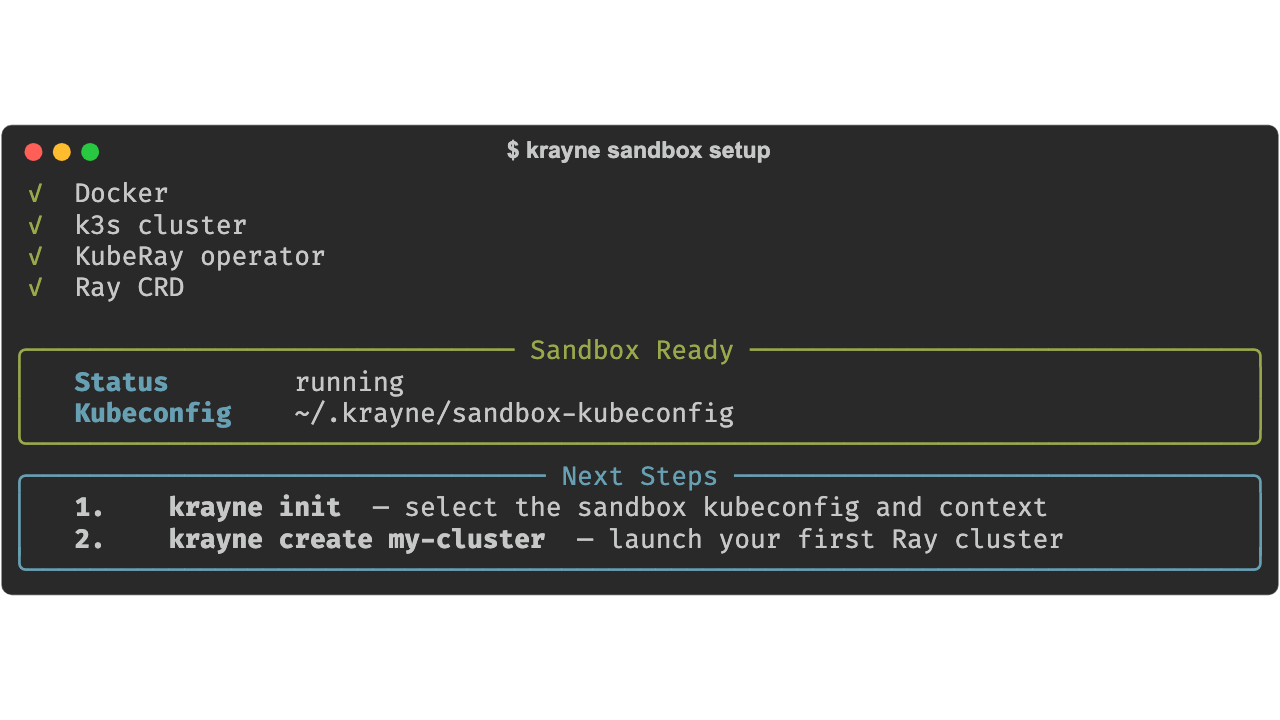
The sandbox requires Docker with at least 2 CPUs and 4 GB RAM.
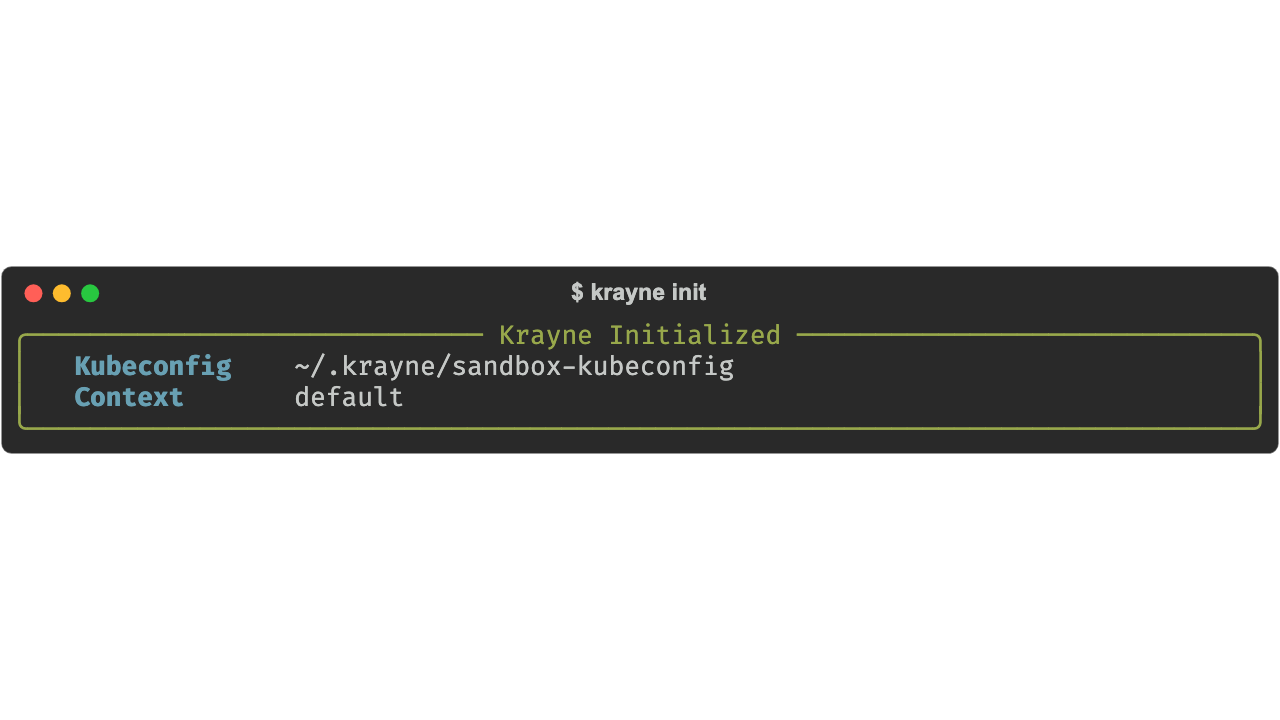
Then run krayne init to select the sandbox kubeconfig:
Select "Sandbox kubeconfig" when prompted. Krayne auto-selects the default context:
3. Create your first cluster
You have three paths — pick whichever suits you.
Launch the interactive UI and press c to open the create form:
The form is pre-filled with sensible defaults — Ctrl+S to submit.
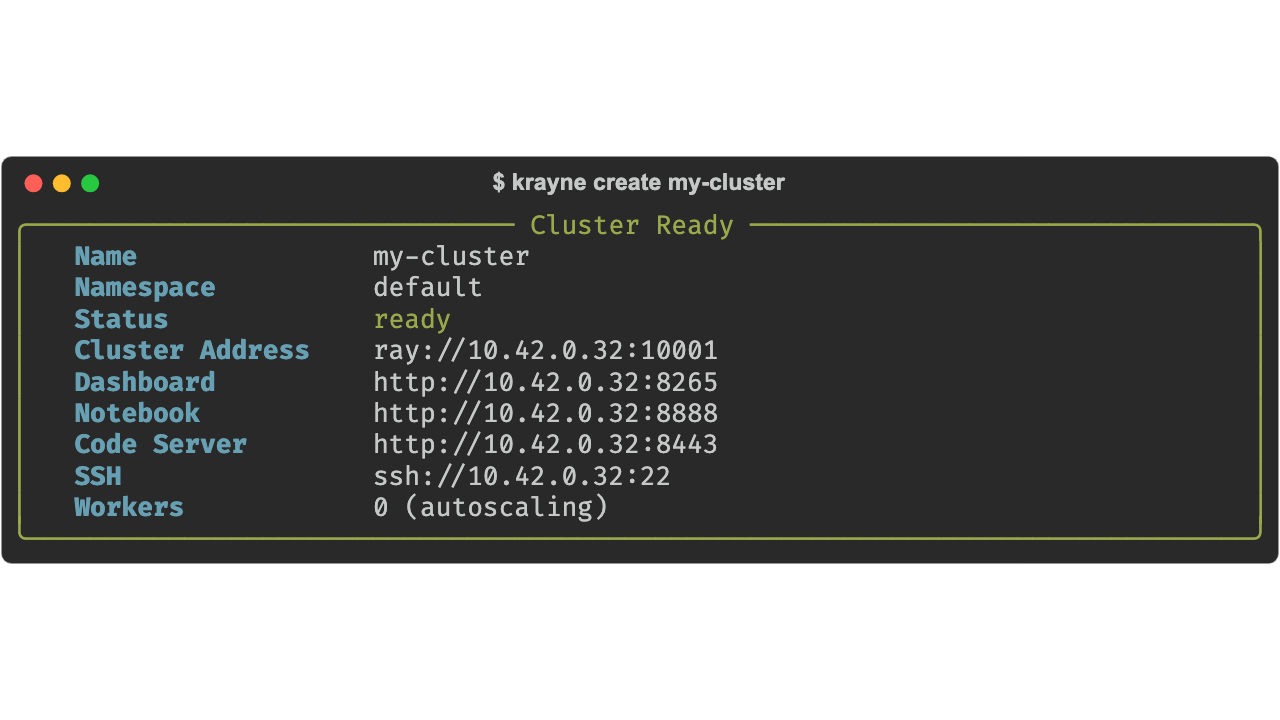
The default cluster has:
- Head node: 1 CPU, 4 Gi memory (control-plane only — no Ray tasks scheduled here)
- Workers: a single
workergroup, autoscaling between 0 and 1 replica (1 CPU, 2 Gi memory each) - Services: Jupyter notebook, code-server, and SSH enabled
4. Check your cluster
List all clusters:
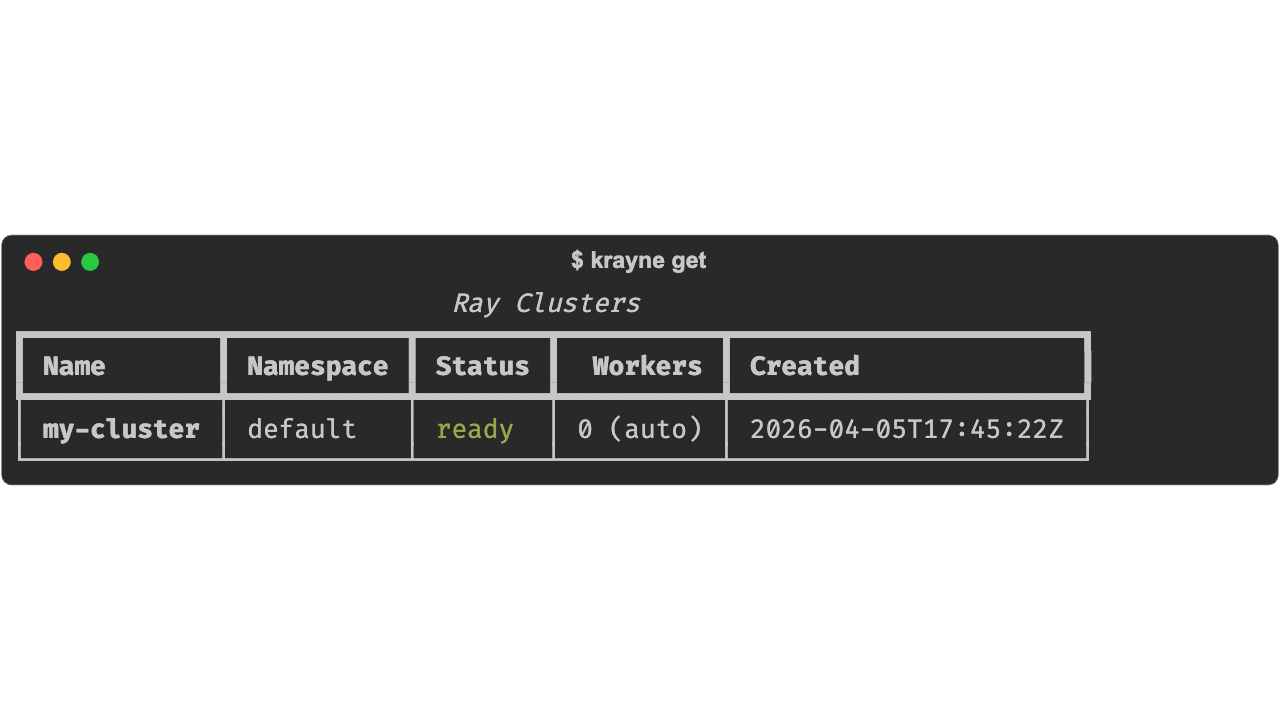
Get detailed information:
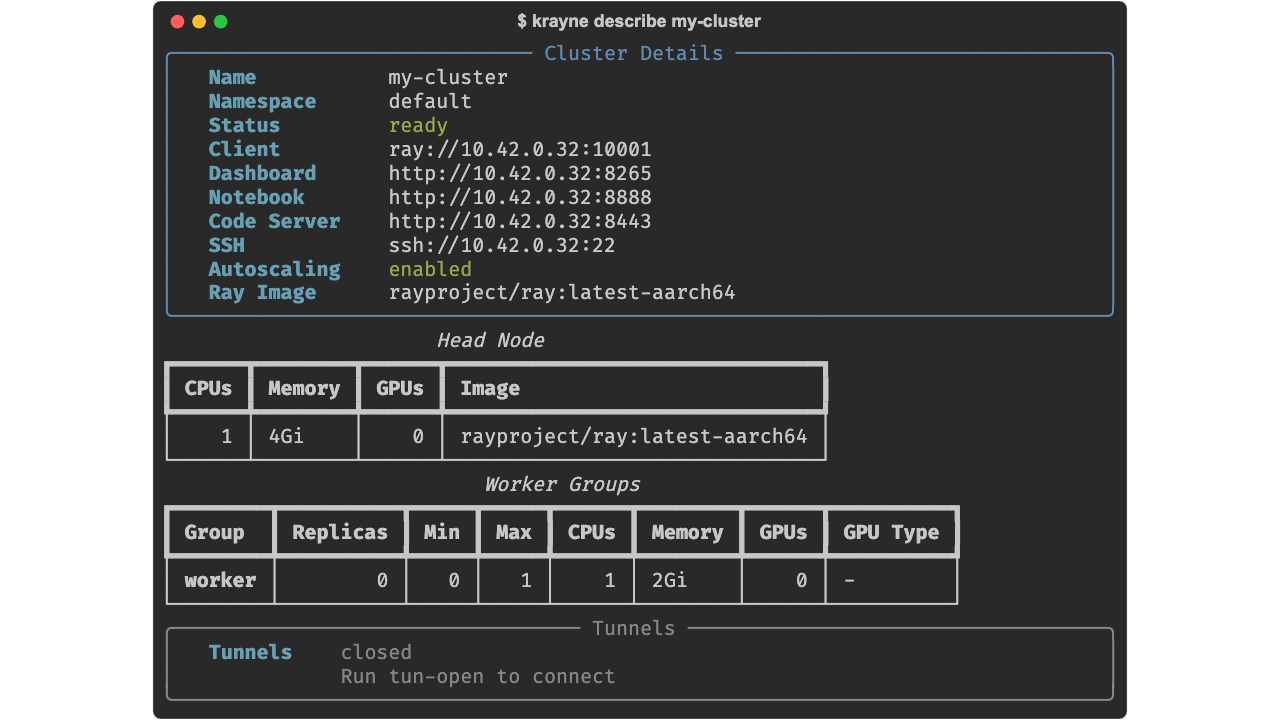
5. Run a Ray job against your cluster
Recommended: krayne submit. It opens a tunnel for you if one isn't already up, then submits a Ray job that runs entirely inside the cluster — so your local Python version doesn't have to match anything. The argv after -- is the entrypoint executed on the head pod; you choose plain python, uv run (to honour PEP 723 / project pyproject.toml), bash, etc.:
krayne submit --cluster my-first-cluster -- python demo.py
# install deps from a project's lockfile on the cluster:
krayne submit --cluster my-first-cluster -- uv run --extra demo demo_serve.py
Add --no-wait to return as soon as the job is queued. See the CLI reference for the full option set.
Tunnels (for the dashboard, notebook, etc.)
krayne submit reuses an existing tunnel or opens one transparently. To open tunnels manually (e.g. to browse the Ray dashboard), use krayne tun-open my-first-cluster (close with krayne tun-close my-first-cluster). The TUI exposes the same on the t shortcut.
Advanced: Ray Client (ray.init("ray://…"))
Strict Python and Ray version match required
ray.init("ray://…") enforces an exact major.minor.patch match between your laptop's Python and the Python baked into the cluster image — and an exact match on the Ray version too. A single patch difference (e.g. 3.12.6 vs 3.12.9) is rejected at handshake. This is a known Ray pain point, not specific to krayne. Only choose this path if you've pinned your local interpreter to match rayproject/ray:<ver>-pyXY; otherwise stick with krayne submit.
If you've pinned your local Python to match the cluster image, you can drive Ray directly from your laptop. The open_tunnel context manager handles the port-forward setup and cleanup for you:
import ray
from krayne.api import open_tunnel

with open_tunnel("my-first-cluster") as session:
    ray.init(session.client_url)   # ray://localhost:...

    @ray.remote
    def hello(i: int) -> str:
        return f"Hello from worker {i}"

    print(ray.get([hello.remote(i) for i in range(4)]))
    ray.shutdown()
# tunnels closed when the block exits
6. Clean up
If you used the sandbox, you can tear it down:
What's next
- Core Concepts — understand Ray clusters, head/worker nodes, and the lifecycle
- Creating Clusters — GPU clusters, YAML configs, and the Python SDK
- Managing Clusters — scaling, describing, and deleting clusters
- Configuration — config sources, defaults, and YAML schema